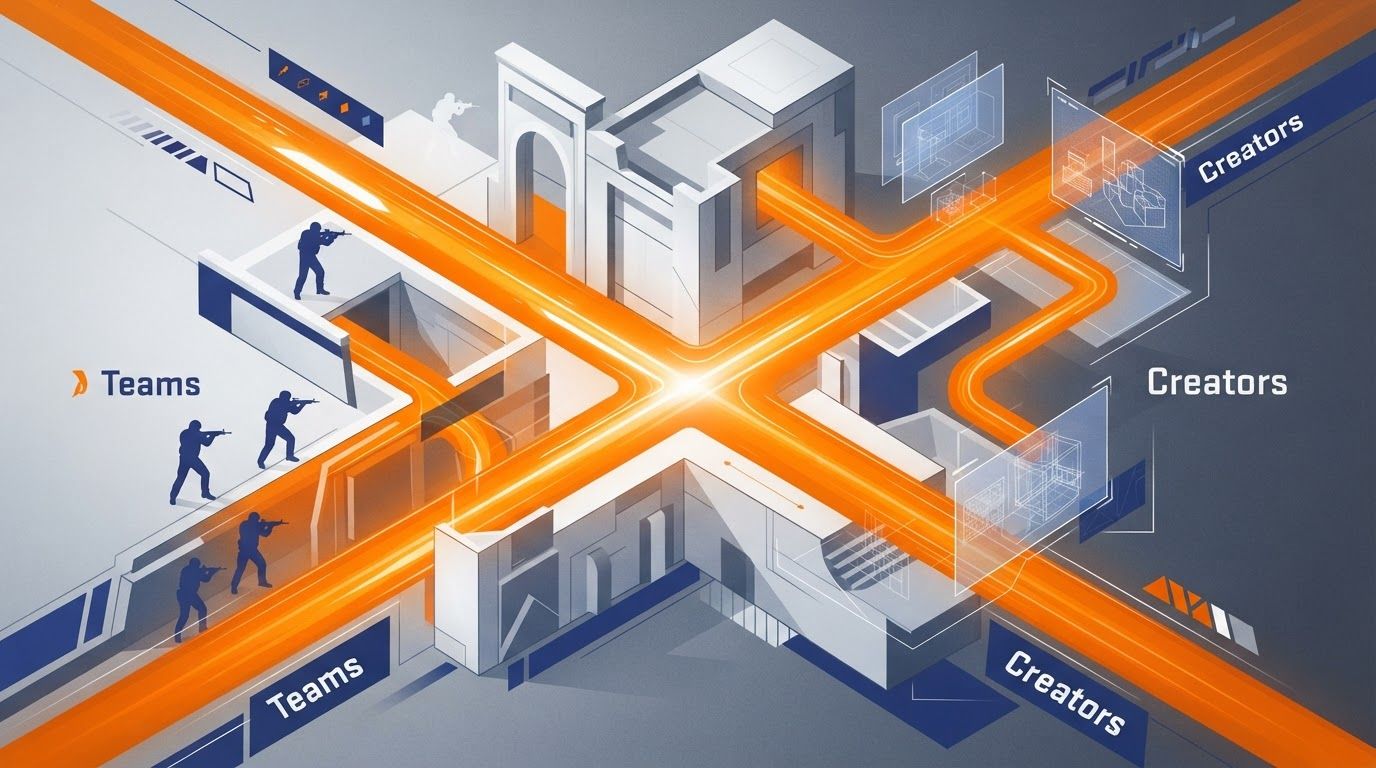
Small Valve patches are no longer background noise for Counter-Strike players, competitive teams, and creators. Valve stability patches increasingly affect when teams lock settings, when broadcasters test production machines, when modders validate compatibility, and when studios decide a build is actually ready to ship.
The practical shift is simple: reliability work deserves the same preparation as visible gameplay changes. A patch that mentions rendering hangs, pathfinding, performance, client stability, or a re-released hotfix may not alter a weapon’s damage or add a map, but it can still change the risk profile of a scrim, tournament, video recording session, demo review workflow, or Steam launch window.
Why Valve stability patches now matter beyond bug fixing
For years, many players treated short patch notes as something to scan for balance changes and then forget. That approach is less useful when the patch itself is part of a continuing operational rhythm. Steam Community’s Valve-owned announcement feed has shown frequent minor client updates, including a November 11, 2026 Steam Client update that added fixes and re-released hotfixes.
That does not mean every small update is disruptive. Most are intended to reduce friction. The important change is that teams and creators cannot assume “small” means “irrelevant to preparation.” A narrow fix can touch the exact layer a workflow depends on: launching the client, capturing footage, connecting to a server, rendering a scene, loading a mod, or passing platform review.
Direct answer: Valve’s small stability patches are reshaping preparation because they make version control, pre-event testing, rollback plans, and launch buffers routine work. Teams must verify reliability after patches, while creators and studios must plan for compatibility and approval uncertainty even when no major feature is announced.
Counter-Strike 2 offers a clear example. Its November 11 patch included bug fixes and “miscellaneous stability and performance improvements,” as well as fixes related to rendering hangs and pathfinding. Those are not merely technical footnotes for the people who play around the game professionally or publish around it.
- A competitive roster may need to check that its practice PCs, launch options, peripherals, and tournament build all behave as expected.
- A tournament organizer may want to verify spectator, demo, network, and broadcast workflows before a match day.
- A creator who records or streams CS2 may need to confirm that capture software, overlays, replay tools, and a preferred setup remain stable.
- A map maker, tool developer, or mod team may need to confirm that an update has not changed the assumptions behind a project.
The value of this mindset is not panic. It is predictability. If a community treats every patch as an operational checkpoint, a minor update becomes easier to absorb and less likely to become an avoidable deadline problem.
How Counter-Strike 2 stability updates change team preparation
Counter-Strike is unusually sensitive to trust in the environment. Players spend significant time building consistency around settings, server conditions, practice routines, communication tools, and hardware. When a CS2 patch contains performance or stability work, the first question should not be whether it looks exciting. The better question is which part of the team’s routine should be revalidated.
Performance fixes can affect confidence before they affect strategy
A fix for a rendering hang does not automatically mean every player will notice a measurable difference. It does mean a failure mode that mattered enough to address has been identified. For a team preparing for official play, that is a reason to test the real setup rather than rely on one quick matchmaking game.
Teams should avoid drawing unsupported conclusions from a short note. Patch notes rarely promise that every frame-time issue, crash, or connection concern is solved for every hardware configuration. Yet it is reasonable to confirm whether the update changes the stability of the machines and conditions the team actually uses.
Pathfinding fixes also matter to content and practice ecosystems
The November 11 CS2 notes included a pathfinding fix. In a live-service game, navigation-related work can matter beyond conventional competitive play. Community maps, scripted scenarios, bots, cinematic recordings, and other creator workflows may all have dependencies that deserve testing after a relevant update.
This is one reason small patch notes should reach more than the person responsible for competitive strategy. The coach or captain may only need a short operational summary, but the person handling servers, replay review, content production, or custom-map testing may need more detailed follow-up.
A practical post-patch checklist for CS2 teams
- Read the official notes before changing anything. Flag references to performance, stability, rendering, networking, pathfinding, demos, or other systems your group uses.
- Record the installed version and testing result. A simple internal message noting the patch, machines tested, and known issues prevents uncertainty later.
- Run a short controlled session. Use the same settings, server type, voice tools, and capture tools that matter on match day.
- Test the high-risk workflow first. For one roster that may be a full scrim; for another it may be spectator output, a production scene, or a replay export.
- Keep the response proportionate. If testing is clean, move on. If an issue appears, preserve details such as logs, reproduction steps, and affected configurations instead of spreading vague reports.
This process is deliberately modest. A team does not need to treat every patch as a major incident. It does need a repeatable way to learn whether the update affects an upcoming commitment.
Creators need a patch-ready workflow, not just a backup file
Creators often experience stability patches differently from players. Their finished work can depend on an entire stack: the game client, Steam, capture software, editing assets, overlays, mods, custom configurations, workshop content, staging accounts, and a planned publication date. A small change in one layer can delay the whole pipeline.
The issue is especially visible where mods are involved. In an October 29, 2026 hotfix notice, inZOI said that all mods are automatically disabled when an update or patch is applied and can be reactivated afterward. Its team also said it wanted creators to continue enjoying a more stable environment. That example is outside Counter-Strike, but the operational lesson applies across live-service communities: update stability and creative continuity are linked.
Compatibility management is now part of publishing
Automatically disabling mods is a cautious design choice, not necessarily a sign that a patch has broken every mod. It prevents old modifications from being assumed safe on a changed version. The trade-off is clear: creators may need to spend time reactivating, checking, or replacing parts of a setup before they can confidently resume work.
For CS2 creators, the exact tools differ. A player may rely on configs, recording scenes, demo workflows, community maps, server plugins, custom assets, or analytics tools rather than the mod structure used by another game. The common need is version awareness. If an update arrives, a project should have a known-good setup to compare against.
- Keep a project note listing the game version, Steam client status, key settings, maps, tools, and dependencies used for a recording or event.
- Capture short test footage after an update before recording an irreplaceable match, challenge run, interview, or guide segment.
- Separate raw recordings, editable project files, and final exports so a technical issue does not put the completed work at risk.
- Use a backup plan for deadline-sensitive content, such as an evergreen guide, analysis piece, or previously tested recording setup.
- Tell collaborators early when a patch is being checked, particularly if editors, sponsors, map makers, or community guests depend on a fixed publishing date.
A patch-ready workflow does not require creators to stop making timely content. It lets them choose intelligently between speed and certainty. A quick reaction video may be appropriate immediately after notes appear; a technical tutorial or cinematic production benefits from waiting until the relevant workflow has been tested.
Do not confuse a successful launch with a validated pipeline
One successful game launch is useful evidence, but it is not the same as confirming every tool works. A client can open normally while a specific map, recording scene, demo sequence, plugin, or export path still needs attention. The most efficient test is the smallest one that resembles the work you are about to publish.
That distinction is valuable for community guide writers as well. If a guide recommends a configuration or tool, identify what was tested and avoid presenting a one-machine result as universal. Clear boundaries make technical advice more useful and more trustworthy.
Steam review uncertainty changes launch planning for small studios
The effect of small fixes is not limited to post-launch maintenance. Platform-side intervention and review timing can determine whether a creator reaches a major visibility moment at all. The July 2026 experience of the indie team behind Red Flag is a concrete illustration.
According to the team, Steam Support edited their configuration and approved a broken build in time for Next Fest after the reviewer found that it would not launch. The developers said their wishlists “nearly doubled.” The case does not establish that every developer will receive the same outcome or that a configuration fix will produce the same commercial result. It does show how a focused platform-side fix can materially reshape launch preparation when a deadline is close.
Review is not just an administrative final step
The Red Flag developers said Steam’s review and approval process typically takes five to seven days. PC Gamer also reported that Valve has been “running behind” on approvals because it must keep re-reviewing games. Together, those points make review timing a real planning variable rather than a box to tick after a build is complete.
A studio can finish its own work and still face uncertainty around review, configuration, build behavior, or a necessary resubmission. That does not make a platform review process a problem to work around recklessly. It means release schedules should include room for it.
- Freeze the submission candidate earlier than the public launch date. Reserve time for review feedback, launch testing, and any configuration correction.
- Verify the build as a new user would. Test the installation and launch flow without relying on development-only assumptions or local files.
- Document platform configuration. Keep ownership clear for dependencies, branches, launch settings, packages, and any item that could prevent a build from opening correctly.
- Prepare a decision path for feedback. Decide who can fix a blocking issue, submit a revised build, communicate with the platform, and update external partners.
- Protect the marketing calendar with flexible assets. A trailer, store-page update, creator outreach plan, and community post should not all depend on a single untested moment.
The lesson is not that a studio should expect Steam Support to solve every issue. The Red Flag case is important precisely because it demonstrates direct support on a launch-blocking dependency issue. It shows that platform-level small fixes can reduce rejection and rework loops, but robust preparation still starts with the creator’s own build validation and time buffer.
Separate technical changes from content updates when patch risk is high
One of the most useful responses to frequent small updates is to reduce the number of unknowns in each release. Life is Feudal: Arden said it would separate technical changes from content updates, give QA more time before deployment, and better prepare GM and support teams with mitigation tools. That is an operational response to patch risk rather than a promise that patches will never cause problems.
The principle works because technical changes and content changes create different questions. New content asks whether it is understandable, balanced, discoverable, and enjoyable. Technical work asks whether it is stable, compatible, observable, and reversible. Combining both can make it harder to identify what caused an issue and harder for support teams to guide affected players.
What this approach looks like in a community setting
Not every CS2 community group ships a game build, but many run projects that benefit from the same separation. A tournament organizer can avoid changing broadcast scenes, server settings, and event graphics on the same day. A map team can distinguish visual revisions from logic changes. A content collective can update its editing template separately from a major recording weekend.
- Technical lane: performance improvements, compatibility checks, infrastructure adjustments, fixes, monitoring, and rollback preparation.
- Content lane: maps, videos, event announcements, visual packages, challenges, community campaigns, and audience-facing changes.
- Support lane: issue collection, known-problem notices, clear escalation ownership, and tools or instructions for mitigation.
There is a trade-off. Splitting work can require more release coordination and may slow a team that is used to bundling everything together. For projects with a serious deadline or a large number of dependencies, the extra discipline can be cheaper than troubleshooting several types of change at once.
This is also where small patch notes can improve team communication. Instead of saying “Valve updated again,” a lead can say: “The update mentions stability and rendering work; our technical check is tonight, while our content schedule remains unchanged unless the test finds an issue.” That is specific, calm, and actionable.
Build a lightweight Valve patch monitoring routine
Valve’s patch culture has become part of how players interpret the company’s reliability. PC Gamer’s recent “patch note supremacy” coverage argues that Valve’s approach to communicating updates is a defining feature of its live-service and platform identity. For community members, that visibility is useful only if it becomes a practical routine rather than endless refreshes and speculation.
A good monitoring process should fit the scale of the project. A solo streamer does not need the same response as a tournament operator or studio, and a casual player should not feel obligated to perform formal regression testing after every update. The goal is to match the effort to the consequences of failure.
Use three levels of response
Level one: normal awareness. Read the official notes, note whether they touch anything you use, and continue as usual if there is no upcoming high-stakes activity. This is enough for most ordinary sessions.
Level two: targeted verification. When an update mentions systems tied to a planned stream, scrim, recording, or community event, perform a short test in the real workflow. Share a concise result with the people affected.
Level three: controlled readiness. Before a tournament, sponsored production, festival deadline, or public release, assign ownership, test critical paths, preserve a fallback option, and set a point at which nonessential changes stop. This is not overengineering; it is protecting a commitment.
Choose official notes over rumor-driven diagnosis
Community reports are valuable signals, especially when several people can reproduce the same issue. They are not a substitute for the official patch notes, a controlled test, or a clear record of what changed locally. Hardware differences, settings, third-party tools, and unrelated service issues can create similar symptoms.
When reporting a possible post-patch problem, useful details include the patch context, the affected workflow, reproduction steps, relevant configuration, and whether the issue occurs consistently. This raises the quality of community discussion and makes it easier for organizers, tool makers, and support teams to distinguish a broad issue from an isolated setup problem.
Small patches reward teams that replace assumptions with short, repeatable checks. The best preparation is usually not a large process; it is knowing what must work, who verifies it, and what happens if it does not.
What players, teams, and creators should take from Valve’s patch cadence
Valve stability patches are not automatically major events, and they should not turn normal play into a constant technical audit. Their importance comes from context. The closer a group is to a match, launch, recording deadline, festival, or live community event, the more valuable a deliberate check becomes.
For Counter-Strike teams, that means treating stability and performance notes as prompts to validate the competitive environment. For creators, it means maintaining a known-good production setup and testing dependencies after relevant changes. For small studios, it means budgeting for Steam review uncertainty, launch verification, and the possibility that a platform-side configuration or approval issue can affect timing.
The broader lesson is operational: visible content gets attention, but reliability determines whether that content can be played, watched, shipped, or supported on time. Valve’s ongoing minor-update cadence makes preparation a continuing habit, not a task reserved for major releases.
Keep an eye on official CS2 and Steam notes, keep your critical workflow documented, and test the setup that matters before the moment that matters. That is how small stability patches become manageable information instead of last-minute disruption.