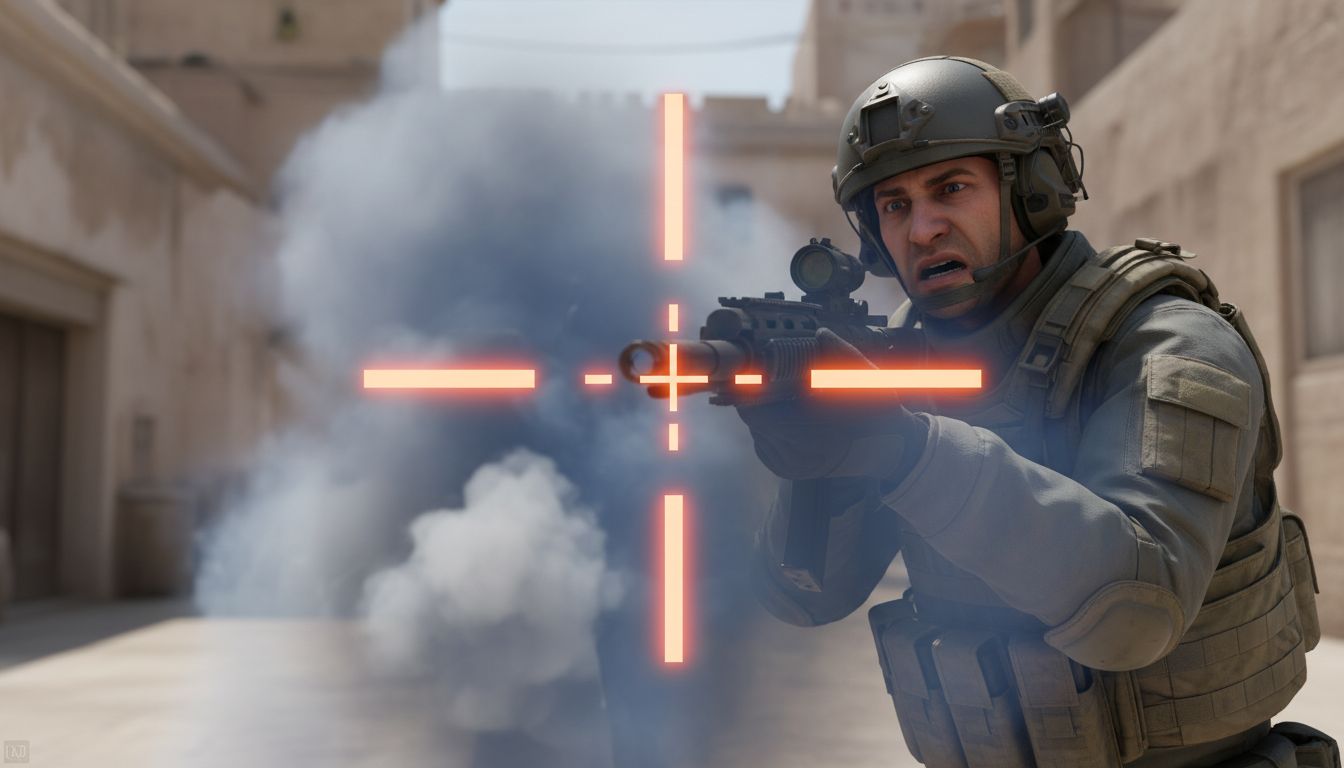
A CS2 crosshair overhaul can disrupt aim even when your sensitivity, resolution, and viewmodel have not changed. The new pixel-accurate crosshair system changed the way old values are interpreted, so many players are finding that a familiar code no longer produces the same visual reference,or, in some cases, is treated as old or invalid.
That matters because a crosshair is not merely decoration. It is the reference point players use to place their first bullet, read movement inaccuracy, time recoil correction, and judge whether a target is centered. When that reference changes, the result can feel like a change in aim itself, which is why community discussion has focused so heavily on having to relearn aim feel.
What the pixel-accurate crosshair overhaul changed in CS2
Valve’s September 2026 crosshair rewrite changed the interpretation of crosshair thickness, length, and gap. The important distinction is that the system is now pixel-based rather than built around the older arbitrary-style values that players had learned to translate through years of use.
For affected players, the practical problem is straightforward: importing an old configuration is no longer a guarantee of getting an old-looking crosshair. Reports around the update indicated that some older codes rendered differently, while others could be rejected as old or invalid. A code may still look familiar as a string of settings, but the visual output is what a player’s eyes and hands ultimately learned.
Direct answer: The pixel-accurate crosshair overhaul forces players to relearn aim feel because it changes the on-screen reference used for centering, timing, recoil reading, and movement feedback. Old CS2 crosshair codes may not recreate the same shape, scale, or perceived center under the new pixel-based rules.
This is why a simple instruction to copy a favorite old code is not enough after a fundamental rendering change. Players need to verify what appears on screen at the resolution they actually play, then decide whether they want to rebuild a familiar static reference or use the new accuracy-focused behavior as feedback.
Why visual changes can become mechanical changes
Aim is built from repetition, but that repetition is not limited to mouse distance. Players also learn the apparent size of the gap around an enemy’s, the line thickness that remains visible against maps, and the point at which the crosshair appears settled enough for a precise shot.
If the gap looks wider, the lines look heavier, or the center appears to sit differently, players may make tiny corrections they did not previously make. Those corrections can happen before a shot, during a spray, or while moving into a duel. The mouse movement may be identical, yet the player can feel less certain because the visual cue has changed.
- Thickness affects how much of a distant target the reticle covers.
- Length affects peripheral visibility and how aggressively the crosshair pulls the eye toward its outer lines.
- Gap affects the empty space used to frame a, angle, or likely pre-aim point.
- Dynamic expansion affects how players interpret their accuracy while moving or firing.
- Resolution affects the visible pixel result under the new system.
How pixel-based crosshair scaling affects resolution choices
The defining technical change is that crosshair settings now map to pixels and rescale with resolution. Coverage of Valve’s explanation used a clear example: a 2-pixel setting at 1280×720 becomes 4 pixels at 2560×1440.
That approach is more concrete than arbitrary units because the intended thickness is defined in visible pixels. It also means resolution belongs in every crosshair discussion. A player cannot sensibly judge whether a setting feels too thin, too broad, too open, or too dominant without looking at the specific resolution where they play CS2.
The same intent does not always create the same perception
Pixel scaling gives settings a direct relationship to screen resolution, but it does not erase perception differences. Monitor size, viewing distance, display sharpness, UI habits, target distance, and the visual clutter of a map can all affect whether a crosshair feels comfortable. A reticle that is technically scaled as intended may still look more prominent to one player than another.
Aspect ratio also remains part of the practical conversation. Players who use a non-native or stretched setup should not assume that a former configuration will preserve its old relationship with player models and map geometry simply because a familiar number or code was used. The correct check is visual: load the game at your normal settings and inspect the result in the situations where you actually aim.
Do not tune at one resolution and compete at another
Switching resolutions after tuning is now a more obvious source of confusion. If a player spends time narrowing a gap and refining line thickness at one resolution, then queues at another, the pixel-scaled crosshair can present a different visual footprint. The aim issue that follows may be blamed on sensitivity, performance, or form when the immediate cause is an unverified reticle.
For players who regularly change resolution for recording, streaming, troubleshooting, or experimenting with aspect ratios, it is worth keeping a short note of the setups that have been checked. That is not about treating a code as sacred. It is about avoiding accidental changes to an aim reference that is supposed to remain stable.
Why CS2 players describe the change as a different aim feel
Community discussion around the patch repeatedly characterized the adjustment as more than an appearance issue. Players described relearning timing and centering, which makes sense when the crosshair is involved in every micro-decision from a stationary tap to a moving peek.
The phrase aim feel can sound vague, but it has useful parts. It includes confidence on the first bullet, how quickly a player recognizes that a crosshair is on target, when they stop moving before shooting, and how they react when a spray no longer looks as expected. None of those things means the player’s raw sensitivity changed. They mean the feedback loop between hand, eye, and game presentation has been interrupted.
Centering is learned visually
Players often pre-aim common angles by placing the crosshair where they expect an opponent’s or torso to appear. The empty center, line ends, and perceived midpoint all contribute to that placement. Early October 2026 community posts also reported that the center point seemed shifted after the update, linking the new behavior to changed hit perception and aim correction.
Whether every player experiences an obvious apparent shift is less important than the troubleshooting lesson: if a crosshair seems off-center, do not immediately change sensitivity or start rebuilding every setting at once. First confirm the rendered crosshair under the current system. A visible reference that feels different can create a powerful impression that shots are landing differently.
Recoil reading depends on what the reticle communicates
Valve framed the overhaul as a better representation of weapon accuracy. That means the crosshair is now meant to communicate more about inaccuracy during movement and shooting, rather than functioning only as a fixed center marker.
This can be useful information, especially for players learning when to stop before shooting or trying to recognize the loss of accuracy during sustained fire. But it also changes what a player sees while executing a familiar action. A player accustomed to ignoring a static crosshair may initially find the new visual movement distracting; another player may find it clarifies why a shot or spray feels less controlled.
Dynamic Quad makes accuracy feedback more visible
The new default style, described in coverage as Dynamic Quad, expands with movement and firing to better represent weapon accuracy. In practical terms, it turns the crosshair into a more active indicator of when the player is moving, shooting, or otherwise dealing with increased inaccuracy.
For newer players, that feedback can be a useful lesson. If the reticle expands when movement or firing reduces accuracy, the game is visibly reinforcing a key Counter-Strike habit: settle before expecting a precise shot. It can also make weapon behavior easier to observe without relying only on missed bullets or damage feedback.
The trade-off for static-crosshair players
A static crosshair offers consistency. Its central shape stays visually stable, so the player can focus on target tracking, level, and recoil control without responding to changing lines. That stability is exactly why many experienced players prefer it, and it remains a reasonable preference when a player has already developed strong movement discipline and wants a calm reference point.
Dynamic Quad introduces information, but information is not automatically helpful in every moment. During a fast fight, additional expansion can compete for attention with the opponent, bullet tracers, map contrast, utility, and teammates. Players who feel overloaded by the animation should not interpret that reaction as failure; it may simply mean a static setup better supports their established visual process.
- Use dynamic behavior if you want a clearer reminder of movement and firing inaccuracy while learning or rebuilding fundamentals.
- Use a static setup if the changing reticle pulls attention away from target placement and you already understand when your weapon is accurate.
- Evaluate both in realistic situations rather than deciding from a menu preview alone.
The overhaul does not require every player to adopt a dynamic crosshair. Its larger effect is that the relationship between the reticle and weapon accuracy is now more explicit, so players should make a deliberate choice about how much feedback they want.
Rebuild your CS2 crosshair instead of chasing an old code
When an old CS2 crosshair code is invalid or visibly different, the most reliable response is to rebuild from what you need to see, not from what you remember typing. A code is a convenient way to share a configuration, but it is not the aim reference itself. The rendered crosshair at your current resolution is the thing that must work.
This approach is slower than pasting a pro setup, but it is more likely to produce a stable result after a system rewrite. It also avoids the common cycle of changing thickness, gap, color, resolution, and sensitivity all in one session, then having no way to know which adjustment helped or harmed.
A practical crosshair reset process
- Lock your base display settings. Set the resolution, aspect ratio, and display mode you intend to use in normal matches before judging crosshair size.
- Pick the behavior first. Decide whether you want a static visual reference or Dynamic Quad’s movement and firing feedback. Do not compare a static setup to a dynamic one as if only line dimensions changed.
- Set visibility before style. Choose a color and basic thickness that remain readable against the map environments you commonly play.
- Adjust the central reference. Work on gap and length one at a time, asking whether the center frames likely positions without covering them excessively.
- Test stationary shots, counter-strafes, and short sprays. These actions expose different parts of the reticle’s role in aim.
- Keep each test long enough to notice a pattern. Avoid declaring a setting broken after one missed flick or one good round.
- Save the verified configuration. Once it works at your chosen resolution, retain the settings so later experimentation is reversible.
A rebuild should not become a perfection hunt. There is no universal best crosshair because visual comfort varies, and the available facts do not support claims that one particular thickness, gap, or professional code will improve everyone’s performance. The useful target is a setup that is visible, predictable, and tested in the context where you play.
Test the new aim reference in the situations that expose problems
A menu preview can show whether lines are visible, but it cannot show how a crosshair behaves when a player counter-strafes into an angle, transfers a spray, or tracks an opponent across mixed background colors. The reported aim-feel problem is contextual, so testing needs to be contextual too.
Start with repeatable situations. A familiar aim-training routine, an offline practice environment, or a warm-up where you can focus on one behavior at a time is more useful than endlessly changing settings during a competitive match. The goal is not to prove that the update ruined aim; it is to determine which visual cue no longer feels reliable.
Check first-bullet placement
Use common -level targets and angles. Pay attention to whether the gap helps you place the apparent center where you intend, and whether the thickness hides too much of a distant target. If you consistently overcorrect before firing, the crosshair may be giving you a different center reference than the one you had learned.
Check movement and stopping feedback
With Dynamic Quad or another changing behavior, observe what happens as you move, stop, and fire. The value is not in staring at the expansion while fighting. It is in learning what the changing reticle represents, then deciding whether that representation helps you recognize when you are ready for an accurate shot.
With a static crosshair, test the same movement habits without expecting the reticle to warn you. If your shots feel off after the overhaul, distinguish between a crosshair visibility issue and a movement-timing issue. A static reticle may be stable, but it will not display the same accuracy feedback as a dynamic one.
Check recoil and spray perception
Coverage of the update emphasizes that the crosshair is intended to better represent weapon accuracy, including during firing. That creates a new visual relationship between the reticle and recoil or spread. Spend time on short bursts and sustained shooting so the new feedback is no longer surprising.
Do not treat the crosshair as a complete recoil guide. It communicates inaccuracy more directly, but it does not replace learning weapon control, observing bullet behavior, or maintaining good crosshair placement. Its role is feedback, not an automatic correction tool.
Why pro crosshair codes are a starting point, not a solution
Recent patch-monitoring coverage tracked professional setups adapting to the new CS2 crosshair system. The fact that high-level players were rebuilding or rechecking codes soon after the change reinforces an important point: even established setups require verification when the underlying system changes.
Pro settings can still be useful for inspiration. They provide examples of restrained line length, visible colors, static preferences, or dynamic choices that have been used by serious players. But copying a setup should be treated as the beginning of a test, not proof that it will preserve your old aim feel or fit your resolution and visual preferences.
- A professional player may use a different resolution, aspect ratio, monitor, and viewing environment.
- The new pixel-based system means old code familiarity does not guarantee old visual output.
- A player’s comfort with dynamic feedback can differ substantially from another player’s preference for a fixed reference.
- High-level adaptation does not mean a setup is immediately comfortable for every competitive or casual player.
The same caution applies to community-shared configurations. A screenshot and code can help identify a look you like, but you should verify the actual center, thickness, gap, and behavior in your own client. If a code is rejected as old or invalid, rebuilding its visual intent is more productive than assuming the game is displaying the exact legacy setup somewhere else.
Use aim trainers carefully when matching crosshair behavior
Aim-training tools had already been moving toward pixel-accurate crosshair handling before this CS2 overhaul. Aim Lab’s update notes, for example, described an overhauled crosshair customizer that uses pixels instead of arbitrary units so that a 1-pixel crosshair is actually 1 pixel thick.
That direction is useful because it recognizes a basic requirement: crosshair dimensions should be concrete when players are trying to carry a visual reference between tools. If an aim trainer and the game both work from pixel-oriented behavior, players have a clearer basis for checking whether line thickness and other dimensions are being represented as expected.
Match the training conditions that matter
Pixel accuracy alone does not guarantee a complete match. Players should still check resolution, crosshair behavior, and the way the reticle is presented in the training environment. A static in-game crosshair and a dynamic trainer crosshair can produce different habits even if the color and line dimensions appear close.
The broader FPS trend also supports the idea that reticles are becoming more directly connected to accuracy feedback. Critical Ops patch notes have described crosshairs that no longer instantly follow bullets, instead allowing recoil and spread to guide shots visibly around the reticle. That does not make different shooters interchangeable, but it shows why players increasingly need to think about crosshairs as feedback systems rather than fixed cosmetic overlays.
Train the transition, not only the flick
After a crosshair overhaul, aim practice should include transitions that make visual uncertainty obvious: moving into a stop, placing the center at height, taking a first shot, and controlling a short follow-up burst. Pure flick practice can be useful, but it may not expose whether the changed gap or dynamic behavior is altering the moment you decide to fire.
Keep sensitivity stable while doing this. If the crosshair is the variable under investigation, changing mouse sensitivity at the same time makes the result difficult to interpret. Give yourself enough repeated engagements to identify whether discomfort is fading through adaptation or persisting because the reticle remains poorly suited to your setup.
How to avoid overreacting to a changed crosshair
The strongest lesson from the patch reaction is not that every player must abandon a comfortable setup. It is that a crosshair change can be meaningful enough to deserve a calm troubleshooting process. Reports of changed center perception, invalid legacy codes, and relearning aim feel point to a real adjustment problem, but they do not establish that every missed shot comes from the reticle.
Start with the most direct explanation: verify the crosshair at your current resolution, choose static or dynamic behavior deliberately, and test it in repeatable situations. Only then consider other variables such as display changes, performance issues, sensitivity adjustments, or ordinary inconsistency.
Players who want the old experience should focus on rebuilding its visual purpose: a readable color, a central gap that supports placement, line dimensions that do not overwhelm targets, and behavior that does not distract during fights. Players who want to embrace the overhaul can use the added accuracy feedback to sharpen movement discipline and improve their read of firing inaccuracy.
The practical takeaway is simple: treat the new pixel-based CS2 crosshair as part of your aim setup, not as a code you paste once and forget. Verify it at your real resolution, change one element at a time, and give your eyes and hands a controlled period to reconnect with the reference point they use in every duel.