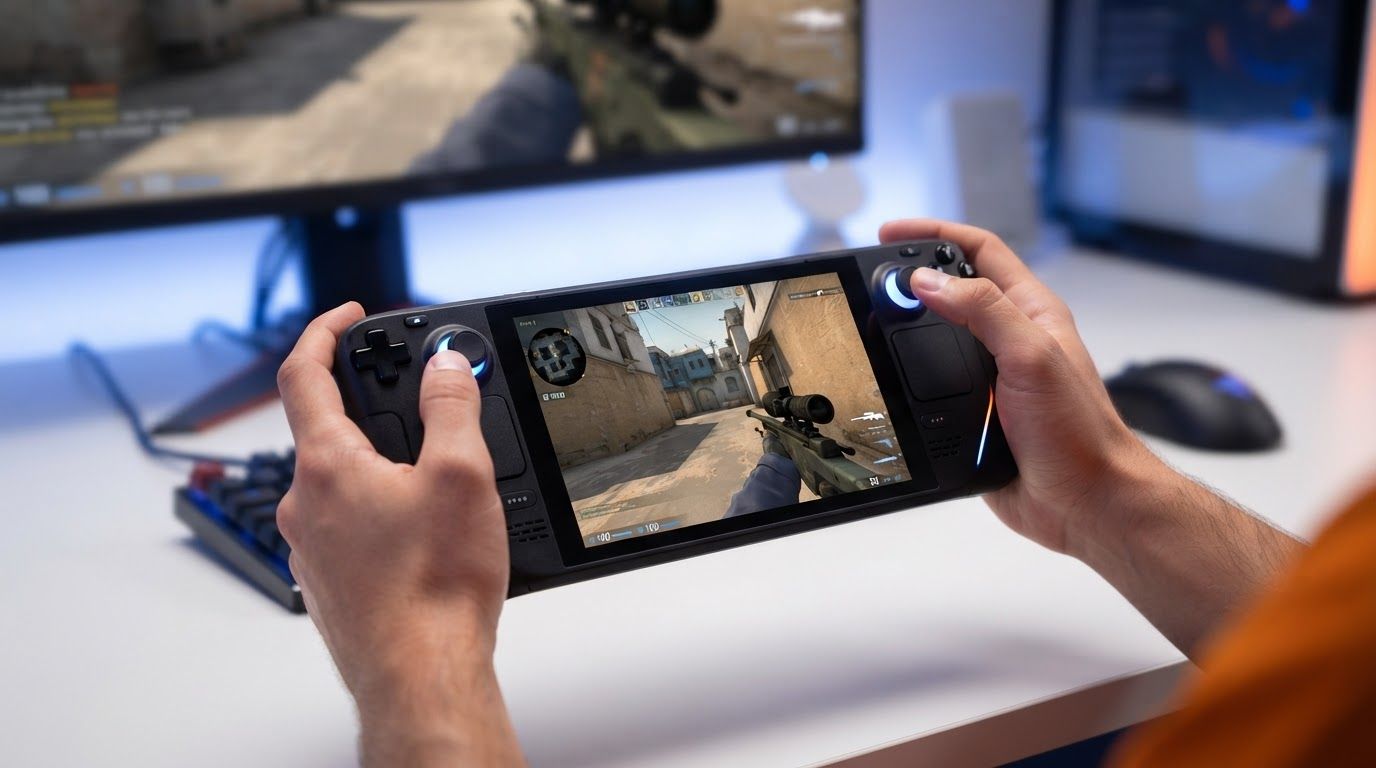
Gyro aiming on handheld can close part of the gap between thumbstick-only play and mouse-and-keyboard aim, but it does not erase that gap outright. For Counter-Strike players using a Steam Deck or another handheld, the practical win comes from pairing motion aim with custom bindings that make the device faster to operate without taking your thumbs off the controls.
The strongest current evidence supports a measured conclusion: gyro improves precision and correction potential, while Steam Input bindings let players tailor that precision to the limits of a handheld layout. A good setup will not turn every handheld player into a desktop competitor, but it can make aiming, movement, utility use, and menu actions feel far less constrained than a default controller layout.
Can gyro aiming on handheld really reduce the mouse gap?
Direct answer: Yes. Gyro aiming and custom bindings can reduce the precision and control gap for handheld players by combining thumbstick camera movement with motion-based micro-corrections and remapped actions. They are most effective as a hybrid setup, not as a complete replacement for a mouse.
A mouse remains a fundamentally direct pointing device: moving the mouse across a surface translates into aim movement with a broad, stable range of motion. A handheld is different. Its built-in sticks have limited travel, and the player must manage movement, aiming, triggers, face buttons, and device grip in a compact form factor.
That difference is why stick-only aiming can feel slow for small corrections yet unstable when sensitivity is raised for fast turns. Gyro changes the division of labour. The right stick can handle large camera turns and recentering, while small movements of the handheld handle crosshair placement, tracking, and fine corrections.
Valve’s Steam Input guidance explicitly presents gyro aiming, Flickstick, and custom button bindings as controller tools. Its input updates also describe gyro as a way to improve precision beyond stick-only aiming. That does not establish that a handheld precisely matches mouse-and-keyboard performance in every situation, but it does support gyro as a meaningful way to narrow the input disadvantage.
Research points in the same direction without overstating the result. The 2024 arXiv study That Flick is Sick: Gyroscope Integration in Xbox Controllers compared a mouse, a standard Xbox controller, and a gyro-enabled controller with 11 participants. Its results supported further study of gyro as a precision gaming input method. In other words, motion controls have enough practical value to be treated as more than a novelty.
- Sticks remain useful for broad view movement and quick recovery.
- Gyro adds fine aim, small tracking adjustments, and more natural correction.
- Custom bindings reduce awkward button reaches and let the player decide when gyro is active.
- Practice determines whether those tools become reliable under pressure.
The key expectation is not “gyro makes a handheld identical to a mouse.” The better expectation is “gyro gives handheld players another precision layer that thumbsticks alone do not provide.”
Why the hybrid stick-and-gyro model works on Steam Deck
Most effective handheld configurations use two inputs rather than asking gyro to do every job. This is often described as a hybrid model: use the stick for gross movement and gyro for fine aim. It matches what each input does well and avoids the frustration of trying to rotate the whole device through every large turn.
Use the stick for large camera movement
Right-stick input is still valuable when you need to look across a wide angle, check another lane, or reset your view after moving. It gives a familiar baseline for players coming from a standard controller. It also lets you make large turns without repeatedly repositioning the handheld in your hands.
For Counter-Strike-style play, the stick can bring the crosshair into the general area of an angle. Gyro can then take over for the last adjustment: moving from chest height to height, holding a crosshair on a narrow opening, or correcting after recoil and movement.
Use gyro for micro-corrections
Fine corrections are where stick-only control is often least comfortable. A small stick deflection may not move enough, while a slightly larger deflection can overshoot. With gyro, small physical rotations can provide a more continuous adjustment layer.
This matters most when a crosshair is already near the target. Instead of pushing the stick repeatedly to settle on a precise point, the player can make a small handheld movement. Recent handheld guides and community discussion commonly recommend this split because it preserves quick camera movement while giving motion input a clear precision job.
Do not confuse hybrid aim with Flickstick
Flickstick is also part of Steam Input’s controller feature set, but it is a distinct choice from ordinary stick-plus-gyro aiming. Its appeal is rapid directional camera changes through stick movement, with gyro taking a larger role in precision. That can be compelling for experienced motion-control users, but it is not a required starting point.
A conventional right stick plus gyro is usually easier to understand because it retains familiar camera behaviour. Players should first establish comfortable gyro control before adding a more specialized stick behaviour. The goal is a repeatable setup, not the most complex one.
Custom bindings solve handheld control problems beyond aim
Aim is only one part of competitive control. On a handheld, even simple actions can become awkward if they require a thumb to leave the stick, a finger to stretch to a face button, or a player to interrupt camera control at the wrong moment. Custom bindings address that practical problem.
Steam Input supports custom button bindings, and Valve has continued improving the tools used to create them. Recent Steam Deck beta notes referenced clearer binding tools, including multi-button bindings and chorded inputs. Those options can help players build more deliberate layouts around the controls they can reach reliably.
- Identify actions that interrupt aiming. Think about jumps, crouches, reloads, weapon actions, push-to-talk, map access, or menus that force an awkward grip change.
- Move high-frequency actions to easier inputs. Rear buttons, trackpads, grips, or a comfortable chord can be more useful than duplicating rarely used actions.
- Assign a gyro control method. A binding can activate gyro only while aiming, pause it during a chosen action, or provide a reset-friendly way to manage the device position.
- Test one change at a time. If aim, movement, and utility all feel wrong, it is difficult to tell whether sensitivity or bindings are the real issue.
There is real evidence that players use this flexibility. A 2026 Steam Input layout analysis reported more than 810,925 community layouts uploaded to Steam, including 168,767 layouts for Steam Deck alone. It found 495,353 layouts using keyboard inputs and 486,536 using gamepad inputs, illustrating how often players mix or remap input types to suit a game and device.
That community-layout volume does not prove that every configuration is good. It does show that remapping is a normal part of PC handheld play rather than an obscure workaround. For a game with dense controls, the default layout should be treated as a starting point, not an unquestionable final answer.
How to build a practical gyro and custom binding setup
A reliable setup starts simple. It is tempting to bind every rear button, create several mode shifts, and tune every sensitivity field at once. That approach often makes it harder to learn the controls because the player is adapting to too many changes simultaneously.
Start with a stable baseline
- Keep ordinary movement on the left stick and broad camera movement on the right stick.
- Enable gyro as the fine-aim layer rather than expecting it to perform every turn.
- Choose a comfortable gyro activation behaviour that does not fight your normal grip.
- Leave enough sensitivity room for small corrections without forcing large device rotations.
- Use a consistent seated or standing posture while tuning so the results are meaningful.
Valve’s documentation notes that handhelds such as Steam Deck and mobile devices can have different axis behaviour. Valve has also said it refined gyro sensitivity so real-world rotations map more consistently across controllers. That handheld-specific work is important: a gyro configuration should be tuned as a handheld configuration, not copied blindly from a desktop controller or another device.
Bind for grip continuity
Grip continuity means keeping both hands in a position where you can move, aim, and react. If an important action makes you release the right stick or destabilizes the handheld during a fight, it may deserve a better placement.
Rear buttons can be useful for actions that need to happen while your thumbs stay on the sticks. Chorded inputs can expand options without turning every control into a separate button, but they should be reserved for commands that do not need instant, reflexive execution. An overbuilt layout creates its own errors.
Set one purpose for every advanced binding
Before adding a modifier, ask what friction it removes. A back-button binding might preserve aim while performing a frequent action. A chord might make a non-urgent command available without cluttering primary controls. A gyro-related binding might help avoid unwanted motion input while repositioning the device.
If there is no clear answer, leave the binding out. The best handheld layout is not the one with the most features; it is the one you can execute consistently when attention is on the round rather than on the controls.
Gyro settings need calibration, not a universal sensitivity number
There is no single sensitivity value that is correct for every player, device position, game, or gyro activation method. Hand size, grip pressure, posture, screen distance, and comfort with motion control all affect the result. A copied community configuration can save time, but it should be evaluated rather than treated as a universal solution.
Steam Input’s community configurations are especially useful as references. Steam reports broad Steam Input use among controller sessions for supported controllers and community configurations, while the layout data shows a large pool of shared setups. A player can learn from how others organize actions, then modify the layout for personal reach and comfort.
A measured tuning routine
- Test large turns first. Make sure the stick can comfortably move your view across common angles.
- Test fine placements second. Put the crosshair near a fixed visual reference and use gyro for small, controlled corrections.
- Check tracking and recentering. Move between several points without letting device position become uncomfortable.
- Adjust one variable. Change gyro sensitivity, stick sensitivity, activation behaviour, or a binding individually.
- Repeat in a realistic environment. A setting that feels good while standing still may not feel good while moving, checking corners, and managing actions.
Watch for two opposite failure modes. If gyro is too slow, you may revert to imprecise stick adjustments for every correction. If it is too fast, normal hand movement can create overshoot and make the screen feel unstable. The useful range is the point where gyro helps you finish an aim adjustment without making the device tiring to control.
Comfort matters as much as raw sensitivity. The 2025 JMIR Serious Games paper on Nintendo Switch describes the handheld’s embedded sensors as detecting changes in direction, speed, and acceleration across three dimensions. That capability creates a meaningful interaction layer, but it also means the physical way you hold and move the device is part of the control scheme.
Where gyro and bindings help most in competitive shooters
The benefit of gyro is most visible in actions where a player has already done most of the aiming work and needs to refine the final result. It can help maintain a carefully placed crosshair, follow a moving target through a short adjustment, or recover from a small aiming error more smoothly than a stick alone.
- Angle holding: Gyro can support small placement corrections while the stick remains available for wider view changes.
- Target tracking: Motion input can offer a finer adjustment layer when the target moves across a limited part of the screen.
- Crosshair placement: After the stick brings the view to a likely enemy position, gyro can help settle the crosshair on the exact line.
- Action access: Rear-button or custom bindings can reduce moments where a player loses camera control to reach an awkward input.
- Personal accessibility: Remapping can make the device easier to use for players whose reach, grip, or preferred control style does not fit the default layout.
Valve and developers are increasingly treating this as a design consideration. A Valve/GDC 2026 talk slide listed “Gamepad + gyro friendly inputs” as a target. That is a useful signal for handheld players: gyro-friendly controls are being considered within modern input design, rather than being framed solely as an enthusiast edge case.
For CS2 players, the practical lesson is to focus on repeatable fundamentals. Motion aim may help with the fine correction after your movement and crosshair placement have put you near the right spot. It does not replace map knowledge, timing, counter-strafing, recoil control, communication, or decision-making.
What gyro cannot fix for handheld Counter-Strike players
Gyro can reduce the stick-only disadvantage, but physical and competitive constraints remain. A handheld screen is smaller than many desktop displays, the device must be held while playing, and thumbstick-based large turns still differ from mouse movement. These factors matter in a fast, precision-heavy shooter.
Motion controls also have a learning curve. Players accustomed to keeping a controller still may initially make unwanted aim movements, especially when pressing buttons or adjusting grip. The solution is not necessarily more sensitivity or more bindings; it is often a simpler activation method and time spent building consistency.
Game support and individual configuration quality matter as well. Steam Input provides extensive tools, but a tool is only helpful when its behaviour is clear and stable in the game being played. Some control ideas may be comfortable in a casual session yet too error-prone for serious competitive play.
Finally, custom bindings should not become a substitute for fundamentals. A layout that is hard to remember, relies on accidental chords, or changes too often can create more inconsistency than it removes. The aim is to reduce friction, not to produce a technical showcase.
Choosing between default controls, community layouts, and a personal build
There are three sensible paths for handheld players, and each has a different trade-off. Default controls are fastest to begin with, community layouts can reveal useful ideas, and a personal configuration can fit your hands and habits most closely.
Default controls: best for establishing a reference
Start here if you have never used gyro or do not yet know which actions feel awkward. Play long enough to identify concrete issues: perhaps fine aim is difficult, perhaps a button interrupts camera control, or perhaps a utility action is uncomfortable. Specific observations lead to useful changes.
Community layouts: best for learning possibilities
Community configurations can show how other players assign gyro, keyboard inputs, gamepad inputs, modifiers, and frequently used actions. The large number of uploaded layouts means there is substantial practical experimentation to learn from. Still, a popular layout may reflect another player’s hand size, experience, or priorities rather than your own.
Personal layouts: best for long-term consistency
Once you know what needs fixing, save a version of your own layout and change it gradually. Name versions clearly, keep notes on what changed, and avoid replacing a working setup after one difficult match. Consistency is particularly important for aim because your hands need repeated exposure to the same response.
The most productive approach is usually a blend: use the default layout as a baseline, inspect community ideas, then make only the changes that clearly improve your comfort or control. Steam Input’s flexibility is valuable precisely because it lets a player make that final decision.
Gyro and custom bindings are not a magic route to mouse-level handheld play, but they are a credible way to make handheld controls more precise, adaptable, and competitive than stick-only defaults. Valve’s ongoing gyro work, the widespread use of community layouts, and research into gyro as a precision input all support treating them as practical tools.
Build around the hybrid model: let the stick handle broad camera movement, let gyro handle fine corrections, and bind important actions where they do not disrupt your grip. Keep the layout simple enough to trust, tune it in small steps, and judge success by whether you can aim and act more consistently from one session to the next.